TOOLS FOR PEOPLE WHO CREATE

We help
you create.

Spend more time creating. PRIZMAT builds considered tools that reduce repetitive steps and keep a professional creative workflow moving. It began with a simple problem in DAZ Studio — and grew into a wider purpose: helping creators create.
PRIZMAT / SOFTWARE WITH PURPOSE
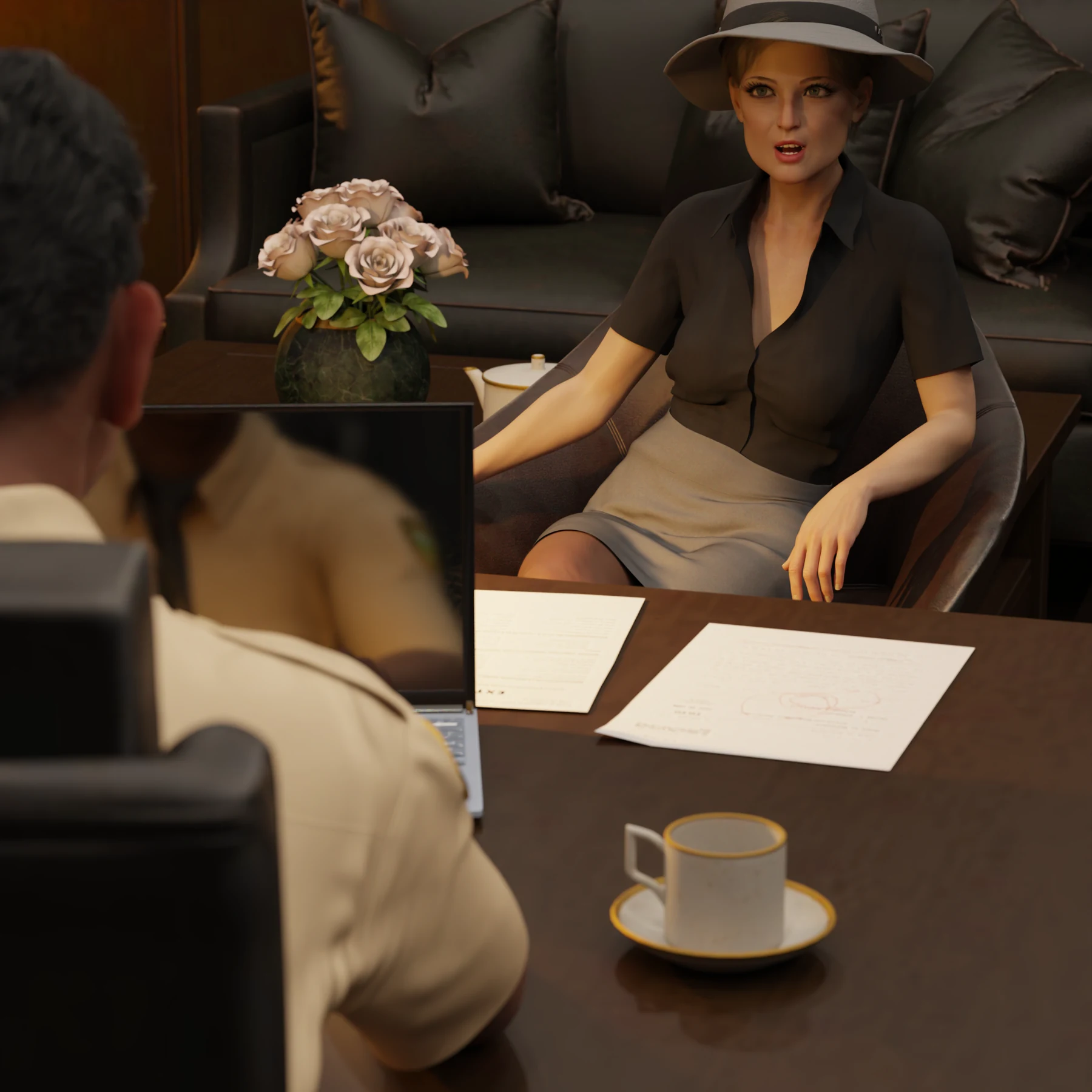
An original DAZ Studio scene by the creator behind PRIZMAT.
FROM THE CREATOR’S WORKSHOPDAZ Studio render · PRIZMAT
337 444Assets in the library
1.2 secondsSearch time

01Less repetition. More creative energy.

02Tools that become part of your rhythm.

03Built through real production work.

01 / THE FLAGSHIP

TROVE STUDIO

Your library.
Back in your hands.

Trove Studio puts a growing DAZ Studio library within reach, then helps you keep moving: quick searches, reusable work and short routes back to the scene. Designed around the working rhythm of a professional creator.

Discover Trove Studio
Trove StudioContent management for DAZ Studio

01 / Find

Find it. Keep the idea.

Use precise searches, useful filters and familiar navigation to get back to the creative decision while it is still fresh.

02 / Organise

Keep your working world close.

Pinned folders, Collections and saved views reduce the cost of returning to the same places throughout a project.

03 / Reuse

Make good work reusable.

Save a useful prop, a camera, a light, a scene or a small part of a pose. Reuse the result instead of rebuilding it for the next scene.

TROVE STUDIO / Pricing

A payment plan that fits your budget.

Try the full application free for 30 days. Then buy your permanent license in installments from USD 5.00 a month, at a pace that works for you.

02 / A GROWING TOOLBOX

One studio. Many solutions.

PRIZMAT brings together independent applications and focused creative tools. Trove Studio, simulation and crowd creation have their own roles, development stages and offers. Today we work with DAZ Studio; future tools may explore other fields.

SIMULATION TOOLS

Trove Simulation Studio

Lift a window curtain. Lift your character’s skirt. Put dForce to work.

Coming soon in full version

Separate applications, with their own prices and licenses.

CROWD CREATION FOR DAZ STUDIO

Trove Crowd Generator Studio

Hundreds of people. Even thousands. Built in minutes.

Coming soon in full version

DAZ STUDIO SCRIPTS

Trove Tools

Small tools for the steps you repeat every day: recover a pose from another scene, bring in a selected figure or prop, prepare poses in a second DAZ instance and move them between your working scenes.

From the creator’s toolkit

03 / THE WAY WE BUILD

Built around the work.
Refined in the work.

Trove Studio was conceived and co-created by a professional comics creator. Its starting point was a familiar frustration: knowing an asset was there, but losing the creative thread while looking for it. Every shortcut, menu and saved view serves the same purpose — helping the creator work with less friction.

01

Protect the creative rhythm.

A useful tool earns its place in daily work. Thoughtful defaults, short paths and familiar controls help you stay with the scene instead of managing the software.

02

Make the useful actions quick.

Finding an asset is one step. Saving the useful detail, returning to DAZ Studio and reusing yesterday’s work matter just as much. We refine the whole sequence.

03

Let real work guide what comes next.

We are planning improvements for other creative applications. Beta testers and future customers help decide which ideas deserve to become tools.

CREATIVE WORK / DAZ STUDIO

Conceived by a creator. Built for creative work.

The software and the comics come from the same working practice. Scenes, deadlines and repeated tasks shaped Trove Studio — a tool conceived and co-created by a professional comics creator, then refined in real use.

An original DAZ Studio scene by the creator behind PRIZMAT.

Scene. Detail. Story.

An original DAZ Studio scene by the creator behind PRIZMAT.

01Scene
02Expression
03Composition

04 / IN THE WORKSHOP

Ideas taking shape.

Read the plans, experiments and development notes behind PRIZMAT applications. Each story has its own product and stage of development.

A few useful answers.

Is PRIZMAT only about DAZ Studio?

It began with one simple problem during professional comics work in DAZ Studio. Solving it grew into a wider idea: help creators spend less time on repeated operations and more time creating. Trove Studio is the first expression of that purpose. We are now planning improvements for other creative applications; beta testers and potential customers will help decide which ideas are worth developing. Tell us what slows your own work down — the next tool may start with your problem.

Is Trove Studio a collection of 3D assets?

Trove Studio is software for working with your own DAZ Studio content. The artwork shown on this website illustrates the creator’s work; it is not an asset bundle included with the software.

Can I buy Trove Simulation Studio now?

It is currently going through final testing. Purchasing will become available when the release is ready.

Can I register or pay now?

You can create a customer account now. The product is not available to buy yet. Opt in to the launch notification when registering and we will email you when sales open. Trial activation, checkout and downloads will open later.

HELP SHAPE WHAT COMES NEXT

What gets in the way of creating?

Tell us which application you use, what keeps repeating and where your time goes. The next Trove tool could begin with your problem — and you could help shape and test it with us.

PRIZMAT / KEEP CREATING

We help
you create.

Tools that settle into your working rhythm. Built through creative work, and developed with the people who use them.

Discover Trove Studio

SIMULATION TOOLS

Trove Simulation Studio

Coming soon in full version

Lift a window curtain. Lift your character’s skirt. Put dForce to work.

Trove Simulation Studio gives dForce a practical creative workflow: reliable fabric control without the fabric pulling away, with automated handling of two magnets at the same time. From lifting a curtain to shaping a character’s skirt, dForce can be enjoyable — and surprisingly capable with Trove Simulation Studio.

CROWD CREATION FOR DAZ STUDIO

Trove Crowd Generator Studio

Hundreds of people. Even thousands. Built in minutes.

We are preparing a unified application around our existing crowd creation scripts. Product details, availability and licensing will be announced separately.

DAZ STUDIO

Trove Tools

Small tools for the steps you repeat every day: recover a pose from another scene, bring in a selected figure or prop, prepare poses in a second DAZ instance and move them between your working scenes.

Trove Pose Recovery

You have a scene open and need a pose that was never saved separately in another scene. Choose the source DUF and recover the pose without opening that whole scene. In the creator’s example, two clicks and about five seconds bring the useful work back into reach.

Trove Scene Extractor

Need a character or prop from another scene? Choose the DUF, select the figure, prop or supported group you want, and let it load into your current work. The script reads the source file and brings across the selected content, keeping you in the scene you are creating.

Trove Second DAZ

One DAZ window can render while a second, separate instance becomes a lighter posing workspace. Launch it with a script and give it its own profile and libraries: your full production library in one, a deliberately small setup in the other. In the creator’s lightweight setup, Genesis loads in around three seconds rather than waiting minutes.

Trove Pose Transfer

Select the source figure in one DAZ instance and the receiving figure in the other, then run the transfer script. Move the pose in either direction without repeatedly saving and locating a preset. Prepare the next gesture in the light workspace and transfer it when the receiving DAZ is ready.

Trove Timeline Freeze

A figure unexpectedly moves while you simulate clothing. Preserve its current pose and clear unwanted animation from that selected figure, keeping attention on the simulation you intended to create. Useful when another figure needs to remain animated.

Trove Camera Placement

Bring a selected figure or prop in front of the camera at a chosen distance: 1, 3, 5 or 10 metres. A short route to a useful starting position when an imported object would otherwise need to be found and moved through a large scene.

Timing examples come from the creator’s working setup. Source files, scene complexity and the computer affect loading time.

About this website

We store your email address, display name, a secure password hash and your account preferences privately on our hosting. We use them to operate your account and send account confirmation or password reset messages. The session cookie is necessary for signing in. We do not store your password in readable form. Sales are not open, so no payment details or product licence are created. Launch emails are optional; you can change this choice in your account. To ask about your information or request account removal, use the website contact form and choose Other feedback. Product news emails are also optional and have their own consent, separate from the sales launch notification. We record your choice and the date of consent; you can withdraw either choice in your account. We also keep aggregate page-view, entry, campaign and action counts on our own hosting for up to 400 days. These counters do not use analytics cookies, browser storage, visitor identifiers, account details or stored IP addresses. Campaign labels can be carried in internal links. We respect Do Not Track and Global Privacy Control. We use your message and reply address to review the idea and respond. They are stored in a private inbox on our hosting and an email notification is attempted to our contact mailbox, not displayed publicly and not added to a mailing list. Please leave out passwords and private client material.

TROVE STUDIO / INTERACTIVE TOUR

Your library. Your way.

Trove Studio interface — It began while creating.
01 / 18

It began while creating.

Conceived and co-created by a professional comics creator.

CAPTION

Conceived and co-created by a professional comics creator.