← All software

TROVE STUDIO / Content management for DAZ Studio

Find it. Organise it.
Create with it.

Conceived and co-created by a professional comics creator. Trove Studio helps you keep a DAZ Studio production moving, from finding the right asset to saving the work you will need again.

Product presentation · Sales opening later
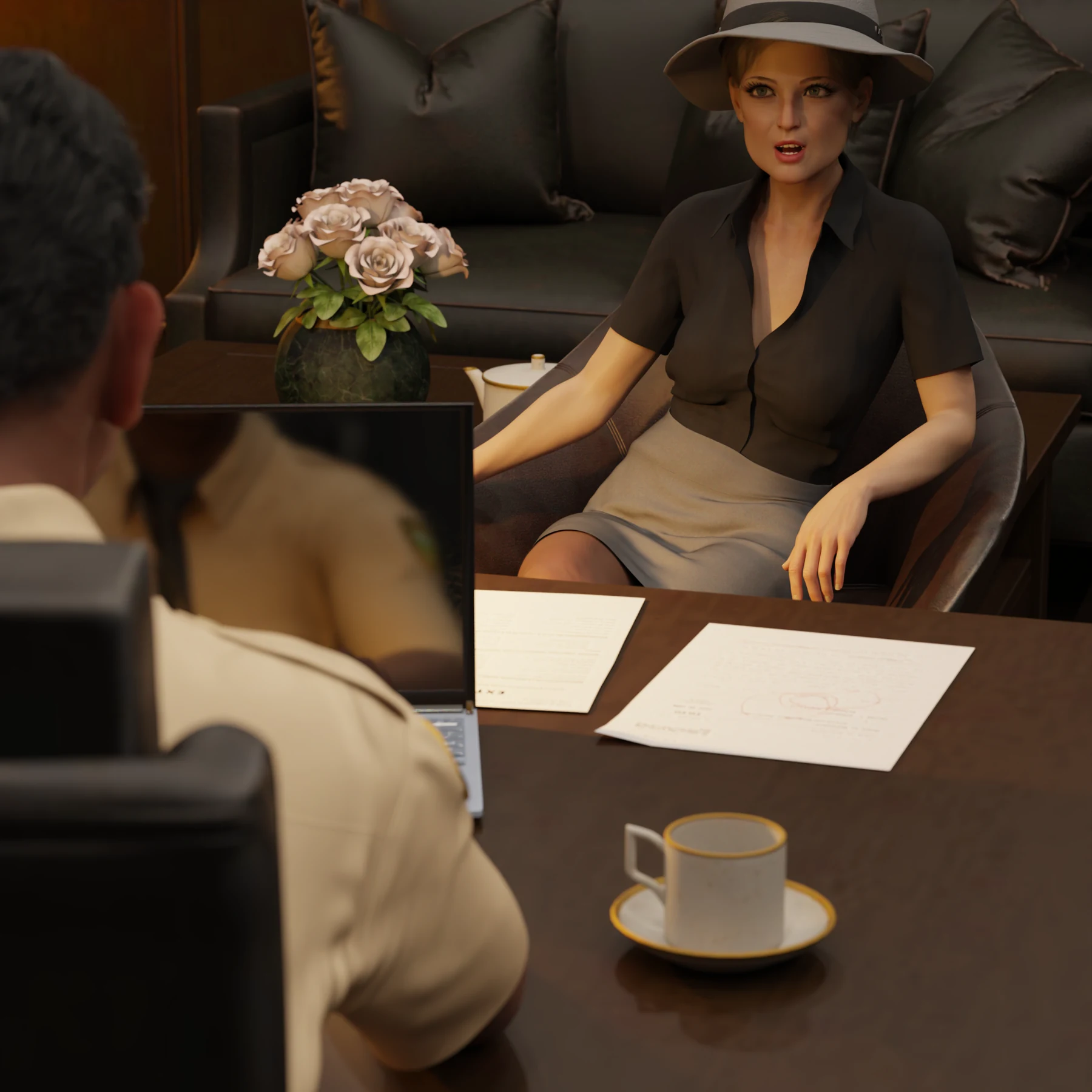
An original DAZ Studio scene by the creator behind PRIZMAT.
Conceived by a creator. Built for creative work.

TROVE STUDIO

One missing asset. A bigger idea.

Conceived and co-created by a professional comics creator. Trove Studio helps you keep a DAZ Studio production moving, from finding the right asset to saving the work you will need again.

Watch the presentation ↗A closer look at the workflow. ↗
Trove Studio

TROVE STUDIO / ORIGIN

One missing asset. A bigger idea.

It started with a simple problem in DAZ Studio: the asset was in the library, but finding it broke the flow of creating a comic. The searcher became Trove Studio. Its purpose grew with it: shorten the repeated steps, preserve useful work and help a professional creator keep creating. PRIZMAT carries that purpose into plans for other creative applications.

01 / Find

Find it. Keep the idea.

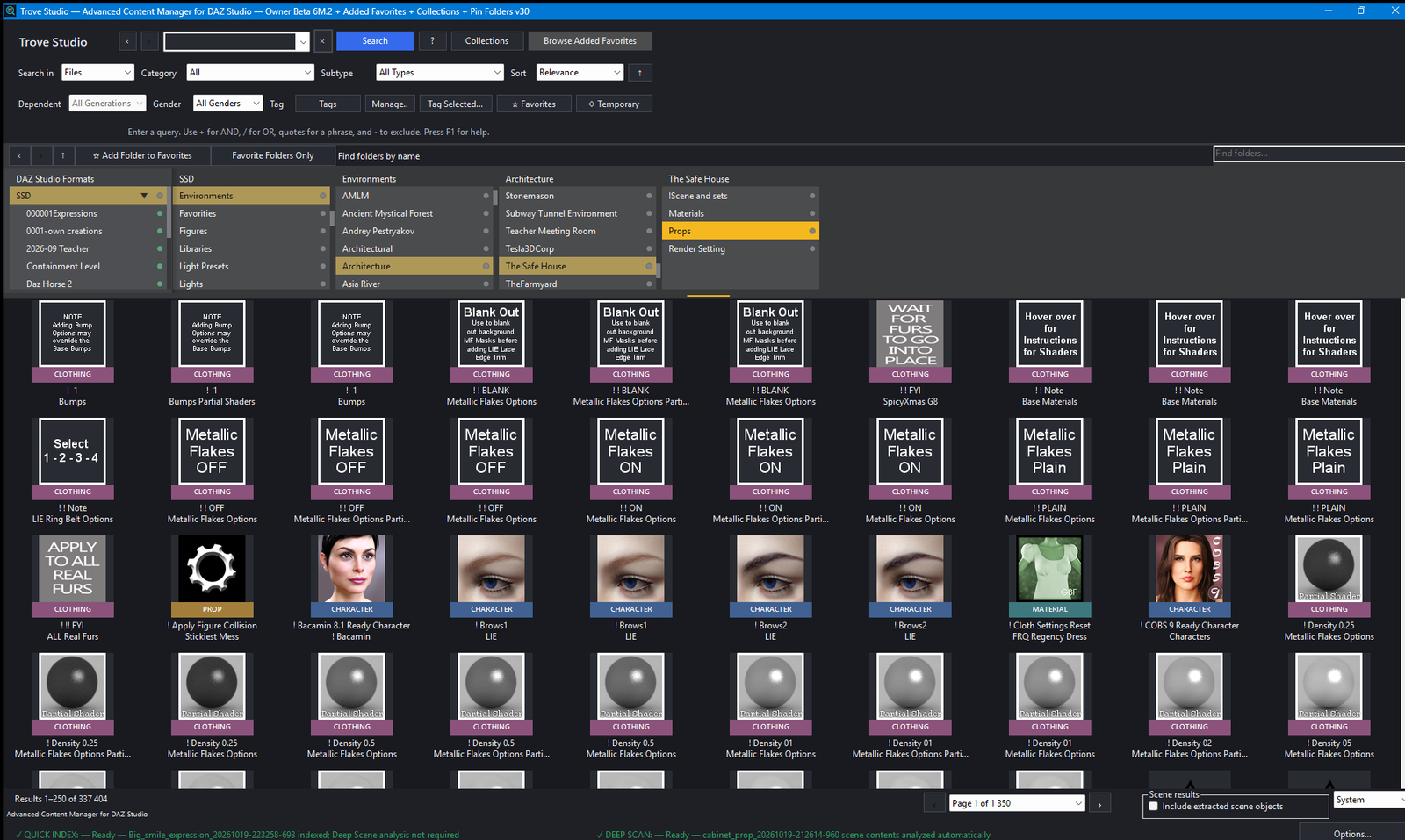
Use precise searches, useful filters and familiar navigation to get back to the creative decision while it is still fresh.

02 / Organise

Keep your working world close.

Pinned folders, Collections and saved views reduce the cost of returning to the same places throughout a project.

03 / Reuse

Make good work reusable.

Save a useful prop, a camera, a light, a scene or a small part of a pose. Reuse the result instead of rebuilding it for the next scene.

A closer look at the workflow.

Inside Trove Studio — actual application screenshot

See the workflow in motion.

Presentation in English

TROVE STUDIO

Meet Trove Studio

Availability, editions and licence information will be published here when sales open.

All software

TROVE STUDIO / Pricing

Your first $20 is on us.

30 days of the full application. No card. Then pay in full or build towards a permanent license at your own pace.

$174 USDRemaining towards your licenseExplore pricing

HELP SHAPE WHAT COMES NEXT

Your work keeps shaping Trove Studio.

We are working on Trove Studio, and we will keep refining it. Already using it and missing something? Tell us what you need to do and why. When an idea makes sense for the professional workflow and fits the application, we will develop it for Trove Studio.

SIMULATION TOOLS

Trove Simulation Studio

Final testing · Coming soon

Lift a window curtain. Lift your character’s skirt. Put dForce to work.

Trove Simulation Studio gives dForce a practical creative workflow: reliable fabric control without the fabric pulling away, with automated handling of two magnets at the same time. From lifting a curtain to shaping a character’s skirt, dForce can be enjoyable — and surprisingly capable with Trove Simulation Studio.

CROWD CREATION FOR DAZ STUDIO

Trove Crowd Generator Studio

Hundreds of people. Even thousands. Built in minutes.

Trove Crowd Generator Studio brings a set of scripts together in one application to build crowds of hundreds — even thousands — of people in minutes. Varied poses and clothes help the crowd feel alive, with the complete crowd using no more VRAM than a single Genesis 9 character.

DAZ STUDIO

Trove Tools

Small tools for the steps you repeat every day: recover a pose from another scene, bring in a selected figure or prop, prepare poses in a second DAZ instance and move them between your working scenes.

Trove Pose Recovery

You have a scene open and need a pose that was never saved separately in another scene. Choose the source DUF and recover the pose without opening that whole scene. In the creator’s example, two clicks and about five seconds bring the useful work back into reach.

Trove Scene Extractor

Need a character or prop from another scene? Choose the DUF, select the figure, prop or supported group you want, and let it load into your current work. The script reads the source file and brings across the selected content, keeping you in the scene you are creating.

Trove Second DAZ

One DAZ window can render while a second, separate instance becomes a lighter posing workspace. Launch it with a script and give it its own profile and libraries: your full production library in one, a deliberately small setup in the other. In the creator’s lightweight setup, Genesis loads in around three seconds rather than waiting minutes.

Trove Pose Transfer

Select the source figure in one DAZ instance and the receiving figure in the other, then run the transfer script. Move the pose in either direction without repeatedly saving and locating a preset. Prepare the next gesture in the light workspace and transfer it when the receiving DAZ is ready.

Trove Timeline Freeze

A figure unexpectedly moves while you simulate clothing. Preserve its current pose and clear unwanted animation from that selected figure, keeping attention on the simulation you intended to create. Useful when another figure needs to remain animated.

Trove Camera Placement

Bring a selected figure or prop in front of the camera at a chosen distance: 1, 3, 5 or 10 metres. A short route to a useful starting position when an imported object would otherwise need to be found and moved through a large scene.

Timing examples come from the creator’s working setup. Source files, scene complexity and the computer affect loading time.

About this website

We store your email address, display name, a secure password hash and your account preferences privately on our hosting. We use them to operate your account and send account confirmation or password reset messages. The session cookie is necessary for signing in. We do not store your password in readable form. Sales are not open, so no payment details or product licence are created. Launch emails are optional; you can change this choice in your account. To ask about your information or request account removal, use the website contact form and choose Other feedback. Product news emails are also optional and have their own consent, separate from the sales launch notification. We record your choice and the date of consent; you can withdraw either choice in your account. We use your message and reply address to review the idea and respond. They are stored in a private inbox on our hosting and an email notification is attempted to our contact mailbox, not displayed publicly and not added to a mailing list. Please leave out passwords and private client material.

Presentation in English