A new Genesis generation brings new possibilities and interesting characters. Then you look at your existing library: thousands of outfits, poses, expressions, morphs and characters, alongside years spent building a familiar way of working.
For my comic work, Genesis 8 is still my preferred platform. I want to explore new possibilities while keeping that setup. So I started experimenting.
From transferring poses to transferring shapes
First came a plugin that automatically transfers poses between different Genesis generations in both directions. It is already implemented in the development version of Trove Studio, with adaptation happening in the background as I work.
The next step was character geometry: I wanted to reproduce a Genesis 9 character’s body shape on a figure in my existing G8 setup. The target figure in the test shown here is Genesis 8.1.
It works. I have a working converter and am testing it extensively. The body shape transfer results so far are very encouraging.
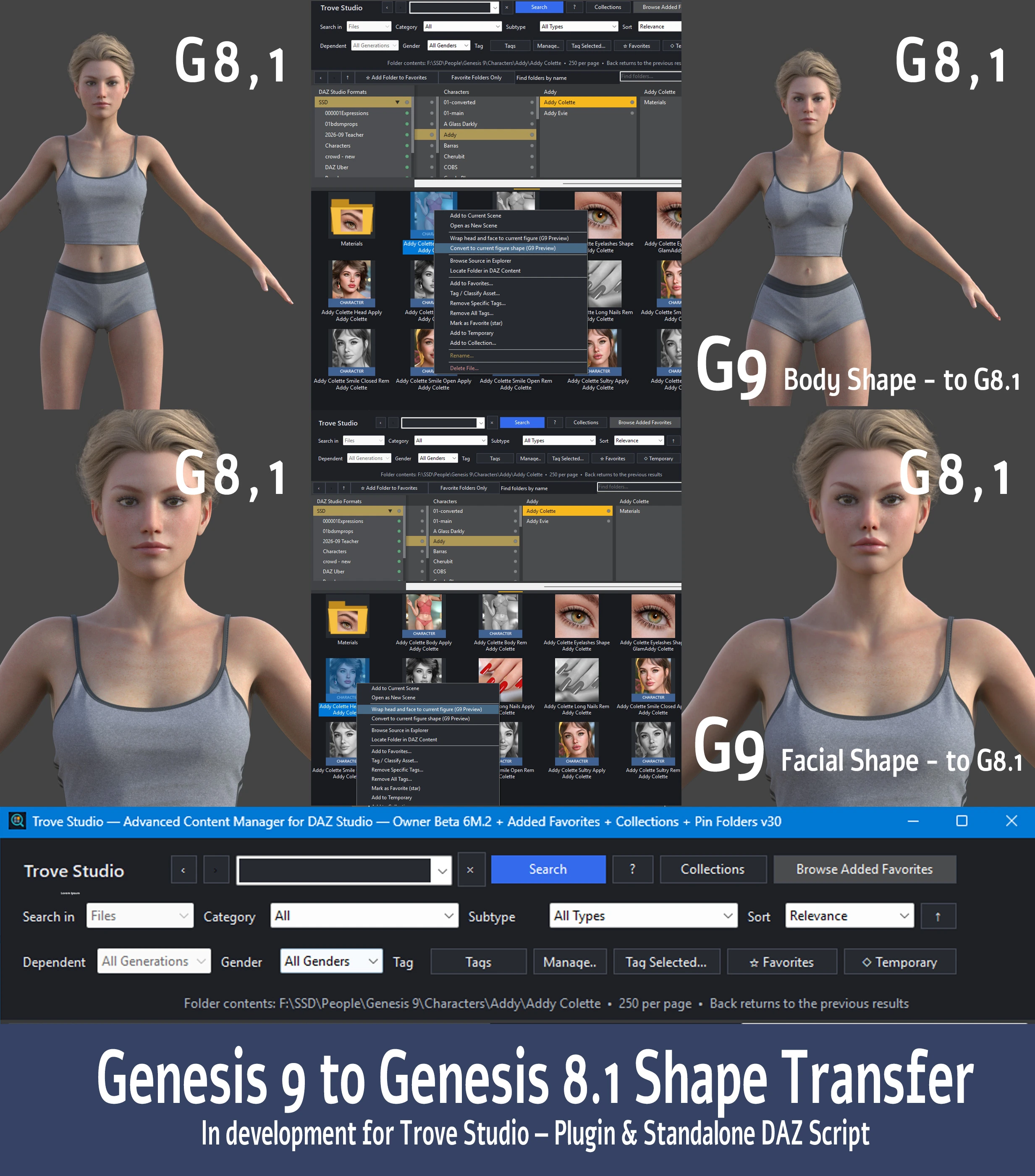
Body and face: two areas of development
The image shows body and facial shape transfer from Genesis 9 to Genesis 8.1 separately. The central screenshots show commands in the Trove Studio context menu and the result in DAZ Studio. Click the image to view it at full resolution.
Face transfer is already working too, with results I am very happy with. The accuracy of the resemblance still varies between characters, however. Sometimes it is very close to the original; other times, the facial features need further refinement.
I am also developing a more specialized approach to fitting head geometry: matching the Genesis 9 head mesh to the target G8 figure’s head mesh. The goal is to preserve the character’s distinctive facial features as accurately as possible.
How will it become part of Trove Studio?
I plan to offer the converter as a plugin integrated into Trove Studio. It is currently in testing; a public release date and final scope have not yet been set. A standalone DAZ Studio script is also a possibility, but I have not decided whether to release that version.
What can you use today?
The free Trove Searcher Lite is already available in Downloads. It uses the same search engine as Trove Studio and helps you find assets in a large DAZ Studio library.
This is another project that began with a problem in my own comic-making workflow. I will share further results as testing progresses, particularly developments in facial geometry fitting.